Logging
You can log video in the following formats:- MP4 - MPEG-4 Part 14 container format
- GIF - Graphics Interchange Format
- WebM - Open web media format
- M4A - MPEG-4 Audio format
- OGG - Free, open container format
pluto.Video class:
Examples
Logging Videos from File Paths
Logging Videos from NumPy Arrays
Viewing
Logged videos appear as playable widgets. Each video card includes standard playback controls (play/pause, seek) and displays the filename and associated run.Comparing multi-sample video logs across runs.
Adding to a dashboard
Videos show up automatically in the Compare view. To place a video gallery on a custom dashboard, open Add Widget, choose the Files tab, and search for your video log name.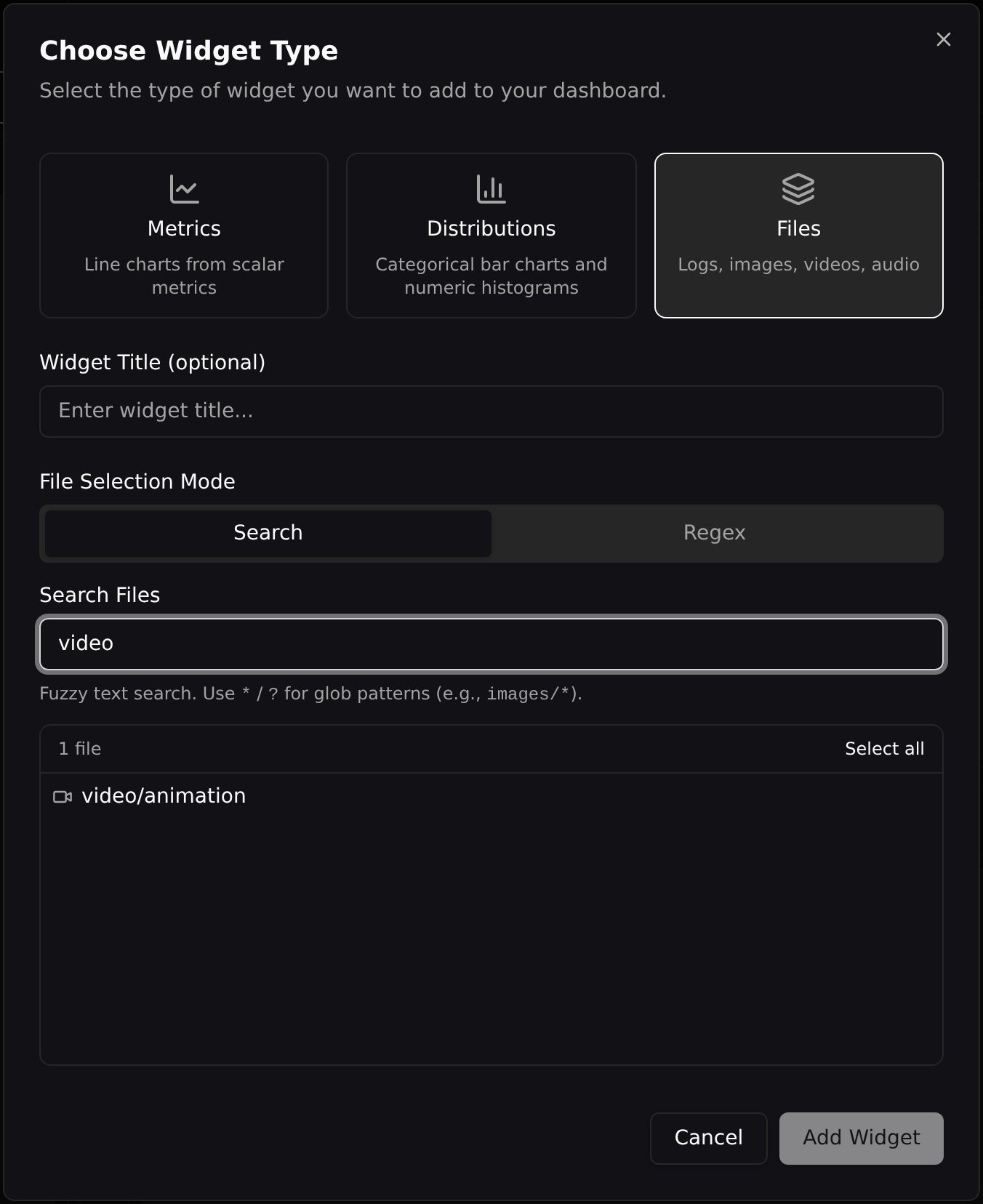
Step Navigation
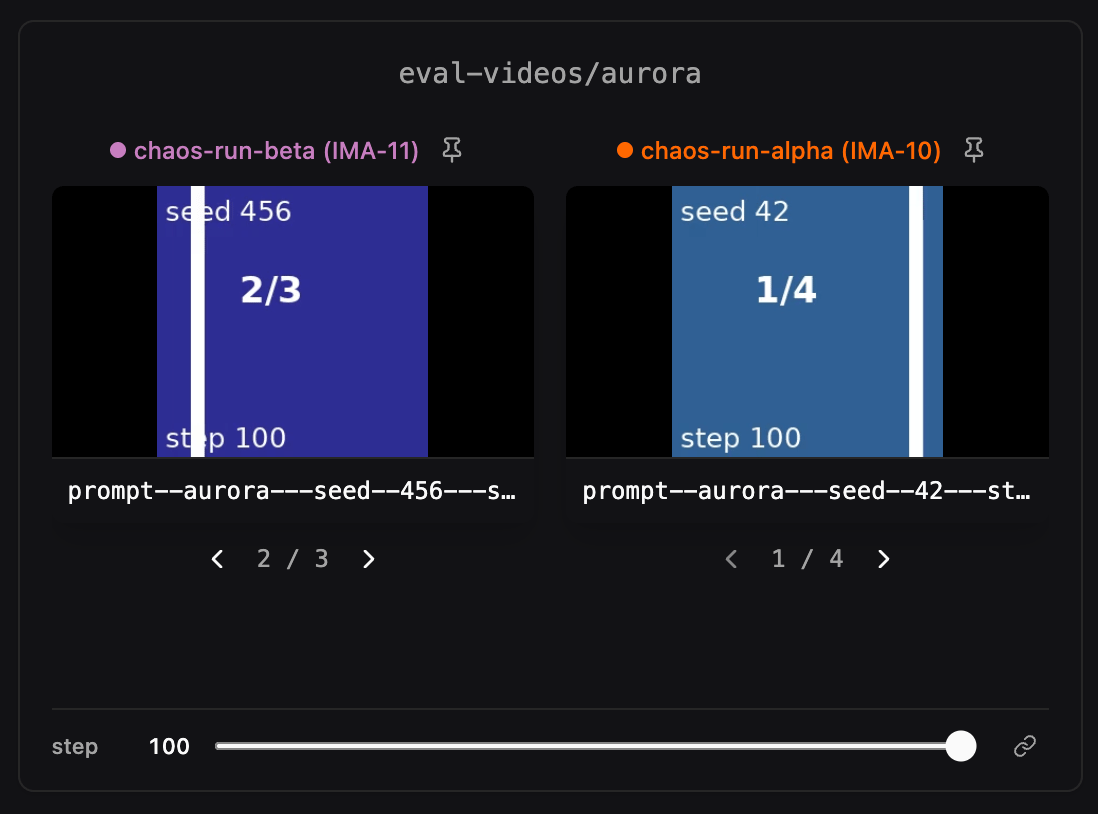
If you log videos at multiple training steps, use the step slider below the players to browse through different steps. When multiple video groups are displayed in the same section, their step sliders can be linked so that changing the step on one group changes all of them simultaneously. Click the lock icon on the step navigator to toggle sync on or off.Multi-Sample Logging
Log several videos at the same step under one log name by passing a list. Every video renders inside the same card with a per-cell◀ i / N ▶ nav row below the player:
Sync Sample Indices
A Sync Sample Indices selector in the media settings popover controls how the sample index is shared:- Off — each run steps through its samples independently.
- Across runs — every run in the same widget shares the sample index.
- Across widgets (default) — every run on every media widget (image, video, and audio) advances the sample index in tandem.
Pinning Runs at a Step
The global step slider forces every run to be viewed at the same step, which makes it hard to compare runs at their respective best checkpoints — different runs converge at different steps. Pinning lets you freeze individual runs at a specific step while the global slider keeps driving everything else. Each pinned card shows a colored badge with the pinned step. Click the pin button on a video card to choose the pin scope: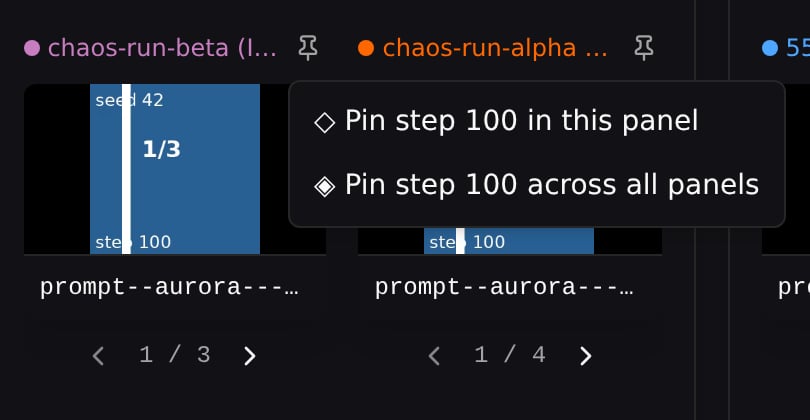
Unpinning
Cross-panel and best-step pins offer two unpin options: Unpin this video removes the pin from this widget only, while Unpin across all panels removes it everywhere. Local single-panel pins keep the simpler one-click unpin.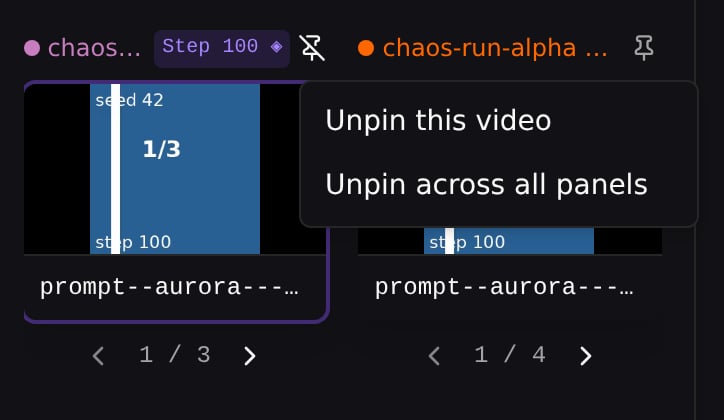
Clear All Pins
Click Clear All Pins to remove every pin (local, cross-panel, and best-step) at once for the current page.Best-Step Pinning
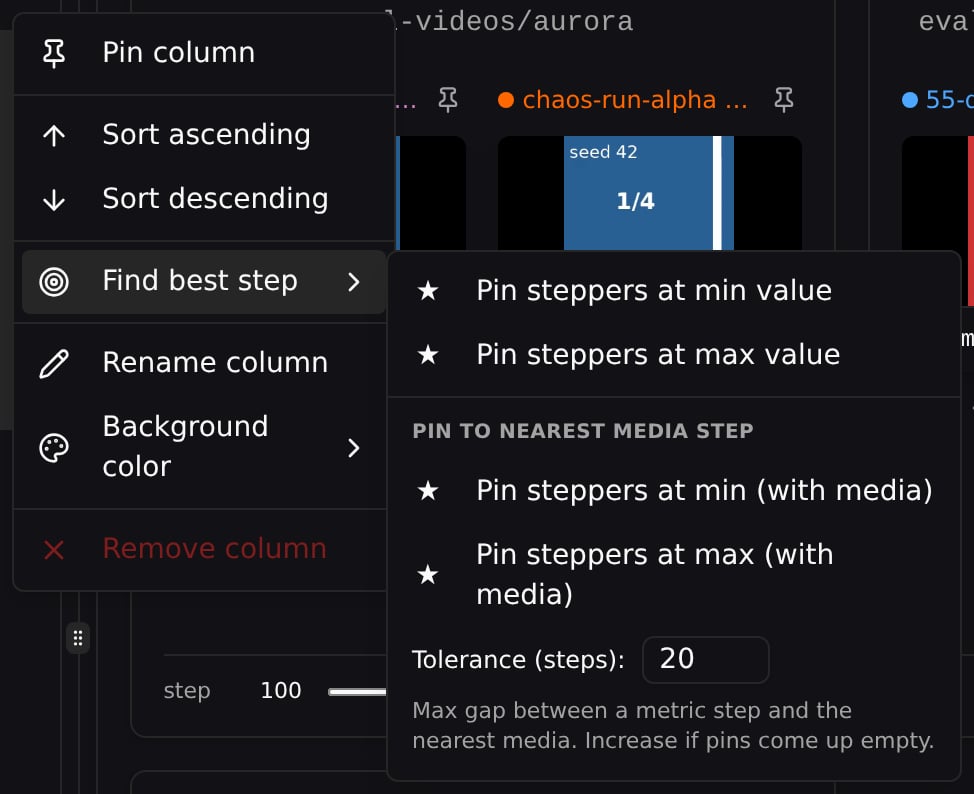
For metric-driven exploration (e.g. “show each run at its best loss”), pin every run on the page to its own argmin/argmax step in one click. Open a metric column’s header menu in the runs table, then choose Find best step → one of:
The (with media) variants (grouped under Pin to nearest media step) are useful when your metric and video cadences don’t perfectly overlap — without them, the chosen step might land on a step that has no video, so the card falls back to the No video at step N placeholder.
Tolerance Window
Even with the (with media) variants, your metric and video cadences may not align exactly. The best-step picker handles this with a nearest-snap with tolerance: each metric step snaps to its closest video step within a step-distance limitK (default K = 20).
You can edit K directly in the Find best step submenu — type a value, press Enter or click any of the four pin buttons.
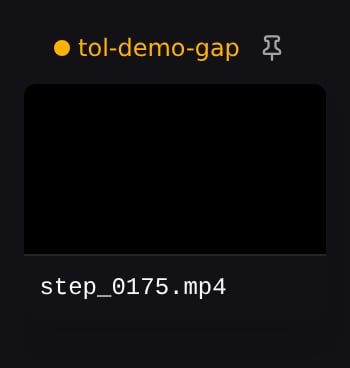
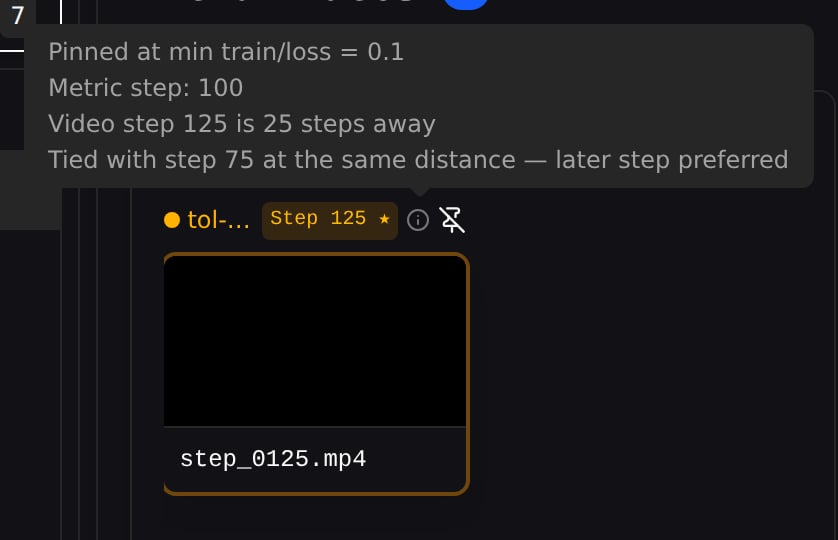
Widen the window if pins come up empty. In the tol-demo-gap run below, the metric is logged at steps 0/50/100/150/200 and videos only at 25/75/125/175, so every metric step sits exactly 25 steps from the nearest video. At the default K = 20 nothing is within tolerance and the run stays unpinned (plain pin icon, no step badge); raise K to 25 and the min-loss step (100) snaps to video step 125 — the provenance even notes the tie with step 75, broken toward the later step.
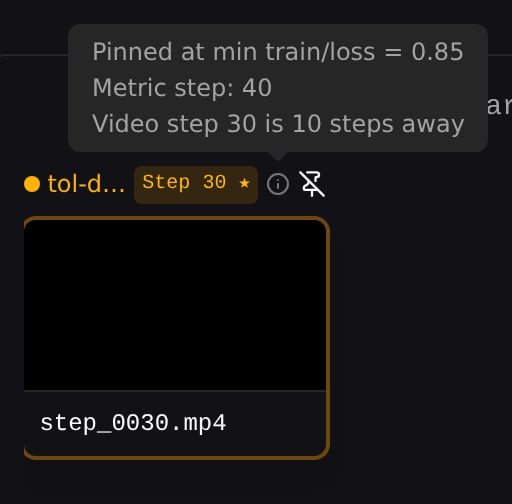
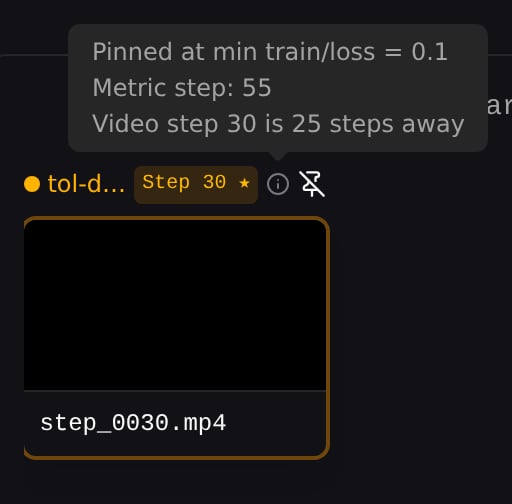
tol-demo-sparse below, K = 10 only reaches metric step 40 (loss 0.85), while K = 25 reaches metric step 55 — the true minimum (loss 0.1). The pinned video is the same in both (step 30); only the provenance popover reveals which metric step drove the pick.
Pin Provenance
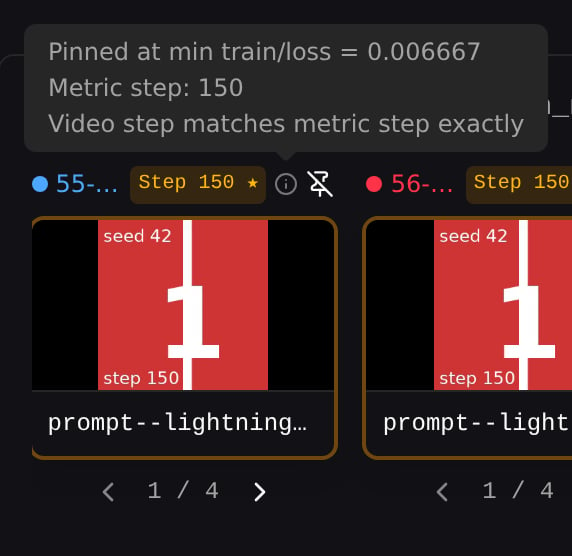
Every best-step pinned card shows an info icon (ⓘ) next to the run name. Hover for a popover that explains why this step was chosen:- A headline with the metric and extreme that drove the pick (e.g. Pinned at min train/loss = 0.006667)
- The metric step that drove the pick
- How far the chosen video is from that metric step (or that it matches exactly)