pluto.init() and ends with either run.finish() (mark it complete on the server) or run.close() (release local resources without changing the run’s server-side state). This page covers the parameters for each, plus how to resume a finished run.
Starting a Run
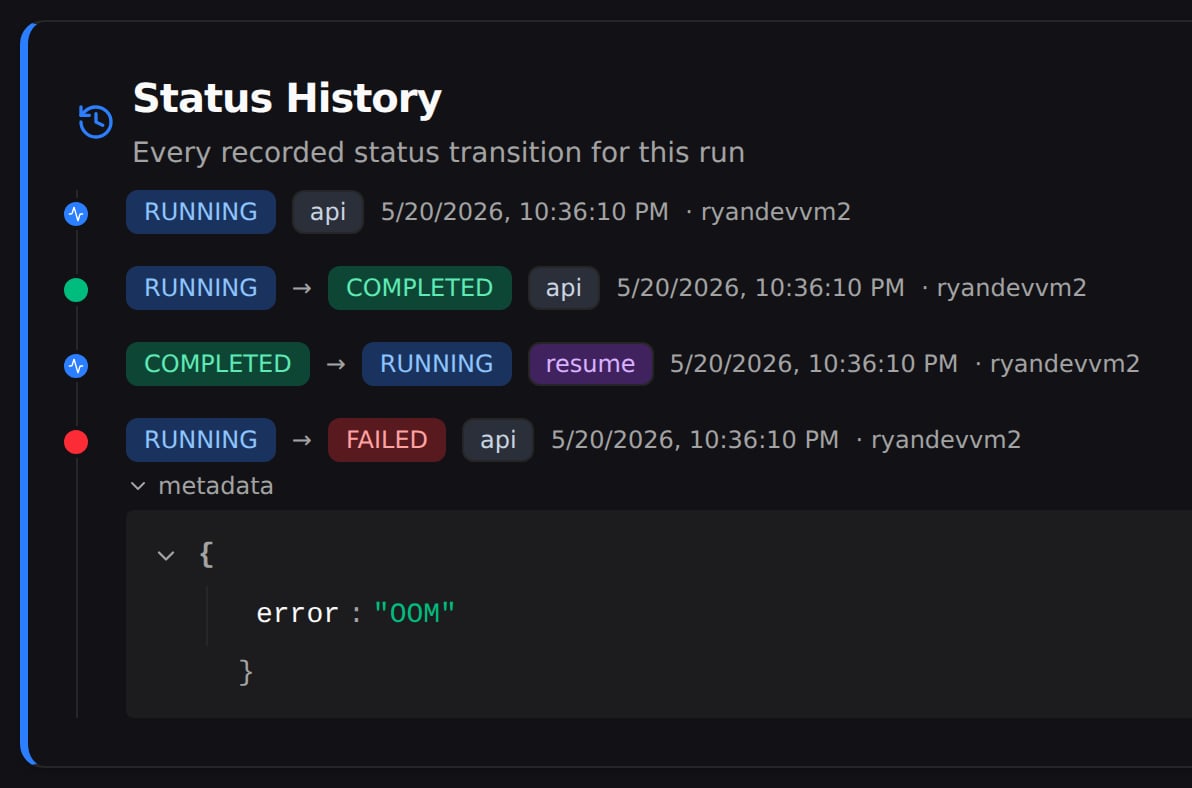
Resuming a Finished Run
12345) and display IDs ("MMP-42") are accepted.
Ending a Run
The SDK exposes two teardown methods:
Both stop the monitor thread, drain the sync queue, and close HTTP clients.
run.finish() also fires automatically on interpreter shutdown via atexit. run.close() unregisters the atexit hook, so a process that calls close() won’t accidentally complete the run when it exits.
When to Use close() Instead of finish()
close() supports multi-process workflows where one process attaches to an active run and shouldn’t take it down on exit. Two common cases:
- Eval job appending to a live training run. The training loop holds the “real”
finish(). The eval process opens the same run withresume=True, writes metrics, andclose()s — leaving the run active. - Side process uploading artifacts while the main run is still producing data elsewhere.
close() is idempotent and thread-safe; subsequent finish() calls on a closed run are no-ops.
Run States
A run is always in exactly one of five states:
So the three ways a training run can die each land on a different state:
- Crash — an unhandled exception →
FAILED. - Preemption / eviction — the process is sent a
SIGTERM(reclaimed spot, evicted pod) →TERMINATED. - Hard kill — SIGKILL, an OOM, or the node disappearing, where the run can’t report anything →
FAILED, once Pluto’s monitor notices it went silent.
Which status wins
When a run ends, the highest-priority state wins — a lower-priority update can’t replace it afterward:RUNNING, and whatever happens next can move it on from there.
Status History
Every run’s Summary page has a Status History card that shows each status the run passed through, in order, along with when each change happened and what caused it. A healthy run’s history is short — it started, then finished: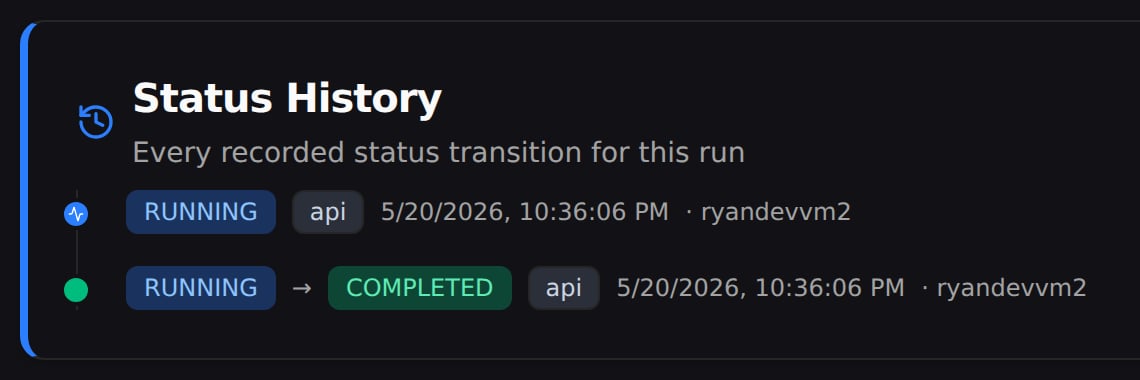
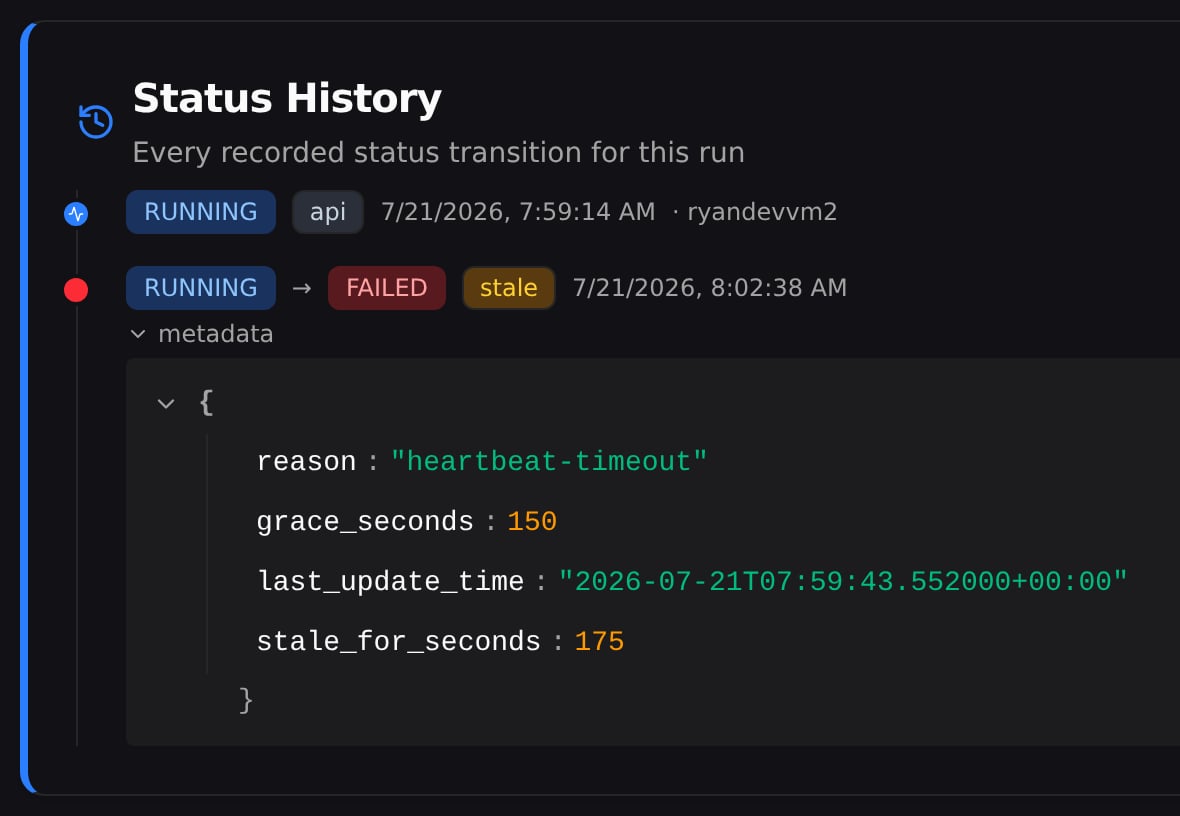
When a run fails, the history tells you why — which is the whole point. In the runs table, a run that failed because it went quiet (Pluto’s monitor gave up on it) looks identical to one that crashed with an error — both just say Failed. Here you can see it was the quiet kind: it hadn’t reported in longer than the allowed window, so Pluto marked it failed.