
Run Forking
Run forking lets you create a new run that branches from an existing run at a specific training step. Forked runs share the same experiment names as it’s ancestors and descendants. The forked run inherits the parent’s metric history up to the fork point, so you can explore hyper-parameter changes, architecture tweaks, or different data mixes without re-running earlier steps or editing the existing run. This is useful when you want to:- Try a different learning rate starting from a checkpoint mid-training
- Compare multiple variations of a run from the same starting point
- Resume training with modified config without losing the original run’s data
Forking via the SDK
Passfork_run_id and fork_step to pluto.init() to fork from an existing run:
fork_run_id and fork_step are required together — providing one without the other raises a ValueError.
Parameters
Properties
After initialization, theRun object exposes two read-only properties:
fork_run_id on the response may differ from the value you passed in. The server resolves the lineage chain to find the ancestor that owns the requested step. See Lineage Resolution below.Chart Visualization
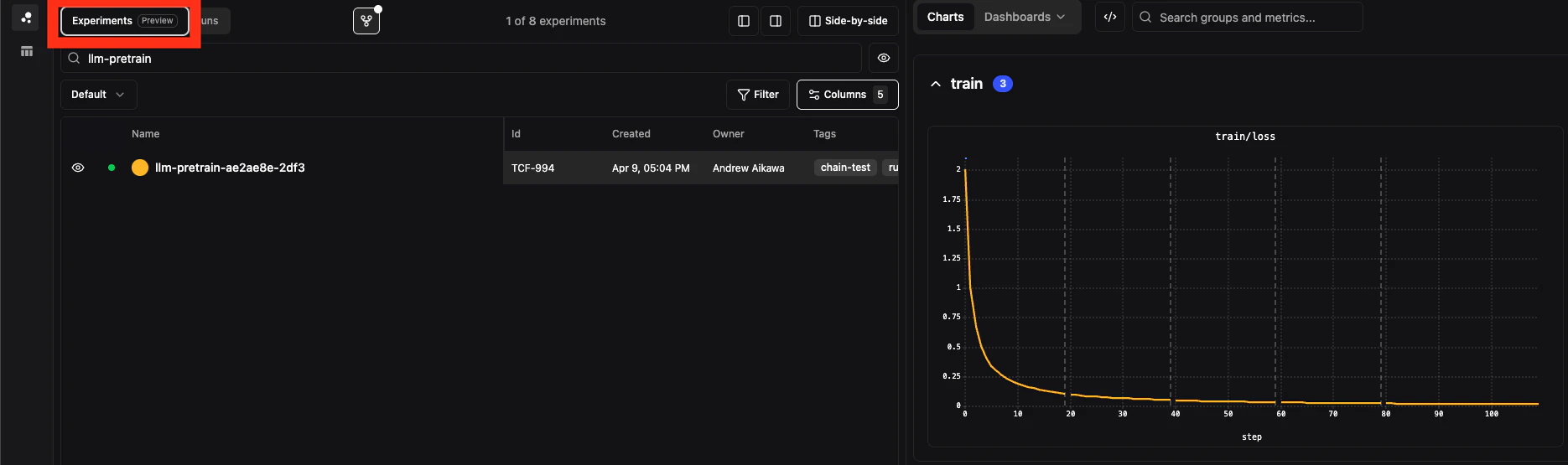
In the Pluto app, you can either view the runs individually or grouped by experiment name/linearge as one continuous graph. Compare the following graphs showing each run as a different color versus the runs grouped as a single experiment and color and showing the fork boundary.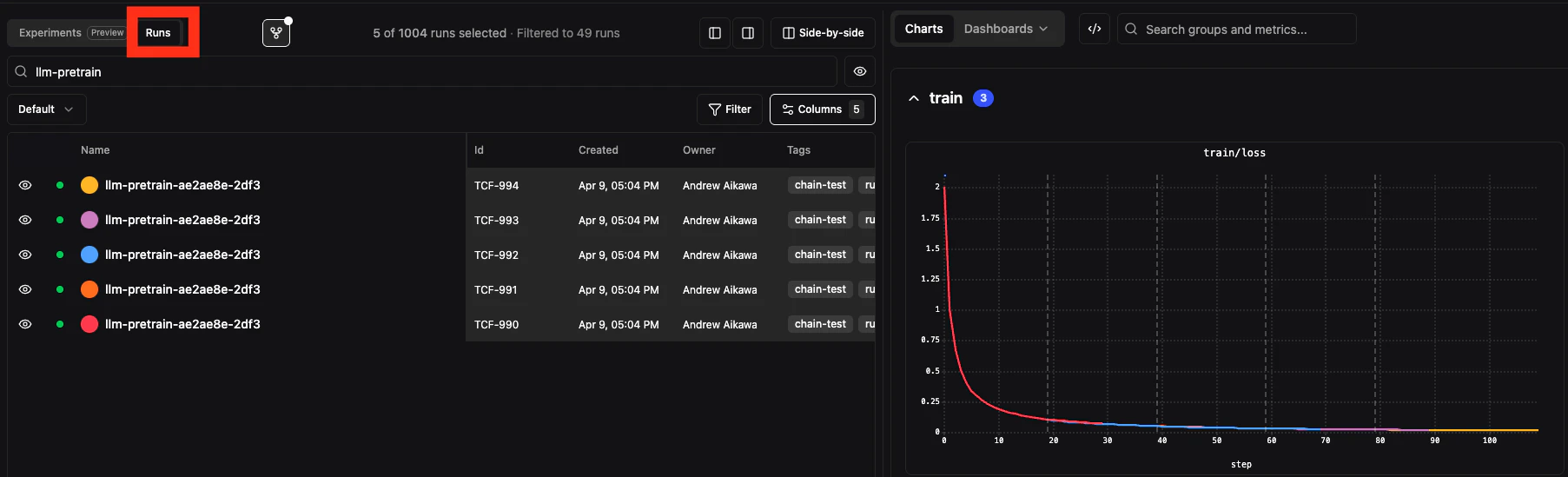
Forked Run Inheritance
When you fork a run, the following data is carried over.Config and Tag Inheritance
Inherited config and tags are written to the child run’s own records.
Since
inherit_config defaults to True, forking without passing any config always gives you the parent’s config. Since inherit_tags defaults to False, tags are not inherited unless you explicitly pass them in.
Inheritance resolves from the lineage-resolved parent, not necessarily the direct parent you specify. If your
fork_step falls within an ancestor further up the chain, the config and tags come from that ancestor.Metrics Stitching
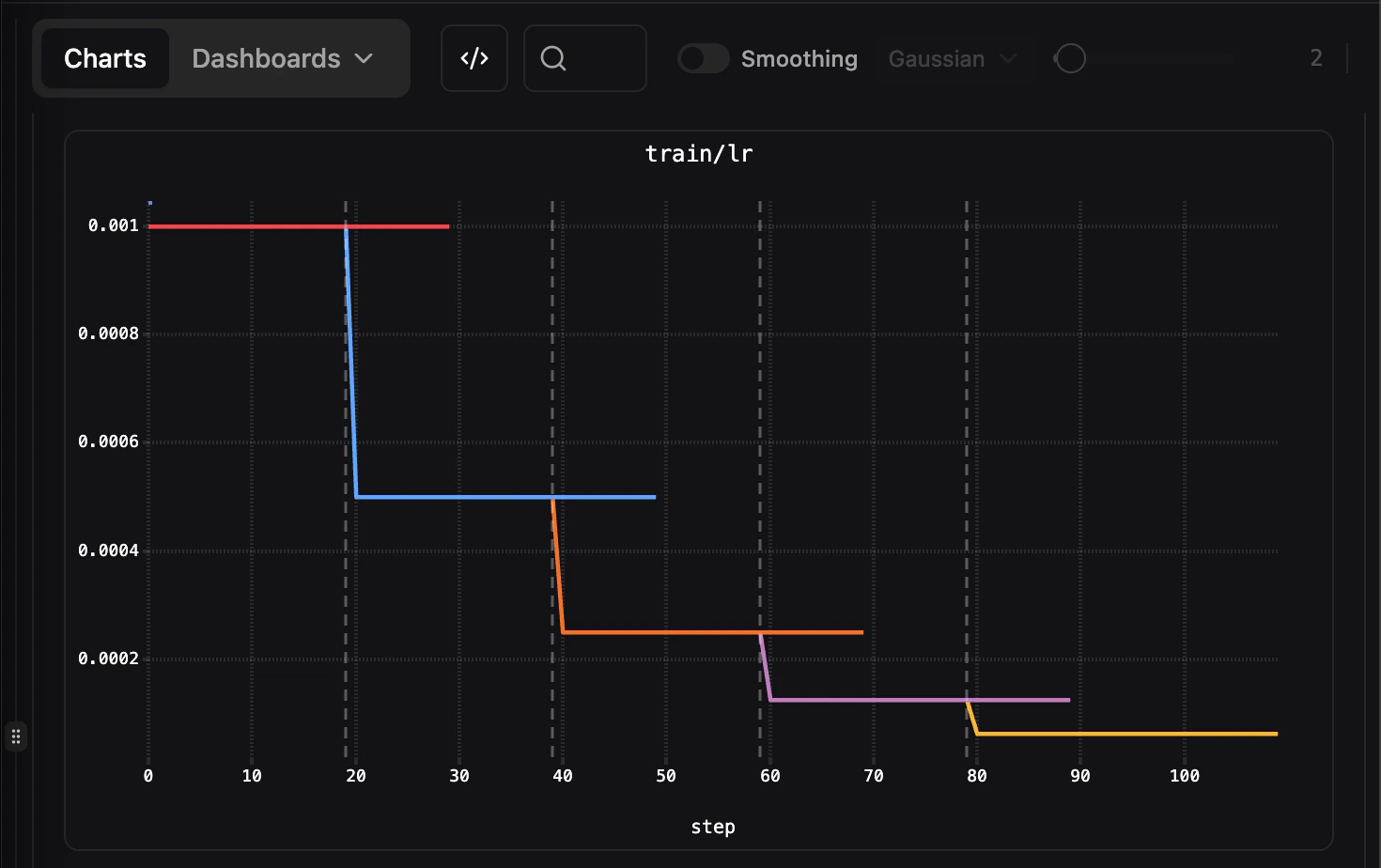
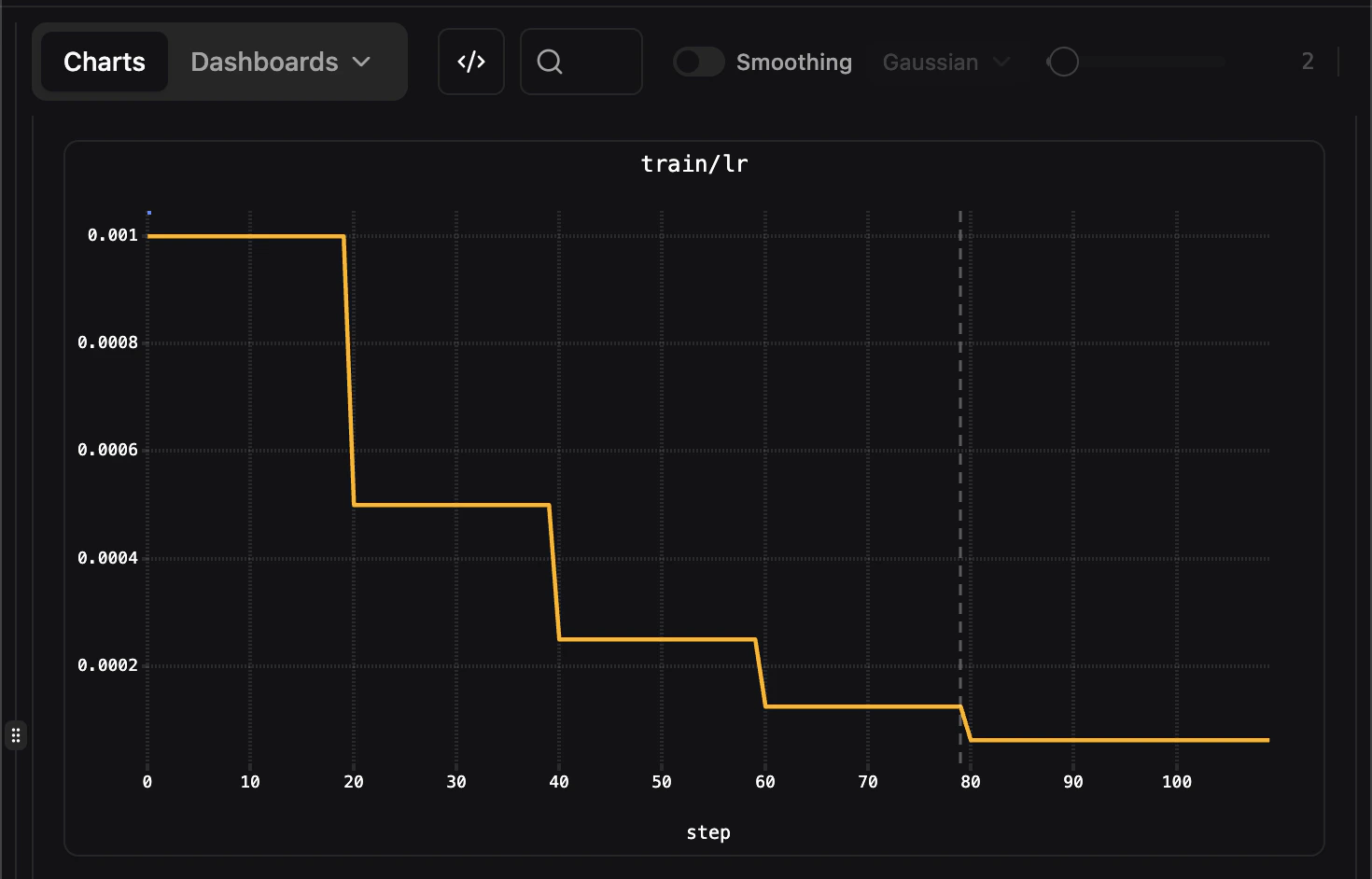
Metrics are not copied when forking but instead with a forked run. Instead, when rendering charts, the frontend determines lineage chain for runs with a matching name and combines metric data across ancestors using step ranges:- Parent run: steps 0 through
fork_step - Forked run: steps after
fork_steponward
Fork Step Annotations
Charts display a vertical dashed line at the fork step boundary when comparing raw runs, making it easy to see where the forked run diverges from its parent.Show Inherited Datapoints
Use the Show inherited datapoints toggle in the toolbar (the fork icon) to control whether forked runs display the parent’s metrics before the fork point. This is enabled by default.In the comparison view (multi-run charts), each run displays only its own data points. Lineage stitching applies to the individual run detail view.
Lineage Resolution
For example, consider this lineage:-
Run Alogs steps 0-100. -
Run BforksRun Aat step 50, and then logs steps 51-200. -
Run CforksRun Bat step 150.
Run C, the parent is resolved to the run that originally owns the fork_step:
-
Forking
Run Cat step 75 resolves to Run B as the parent (since B owns steps 51-200). -
Forking
Run Cat step 30 resolves to Run A as the parent (since A owns steps 0-100).
Merging Runs
When a training job crashes and you restart it from a checkpoint, you end up with two (or more) runs that are really one experiment: the original run, and a fresh run that continues from the checkpoint step. Merging links them after the fact into a single fork lineage, so charts render one continuous series and the lineage reads as one experiment. This is useful when:- A multi-node job died mid-training and you relaunched it from the last checkpoint
- You resumed training in a new process without reusing the original run ID
- A run restarted several times and you want the whole history viewed as one curve
Merging via the UI
- Open your project’s Runs table and select the runs to merge (two or more) using the row checkboxes.
- Click the merge button ( icon) in the table toolbar. It stays disabled until at least two runs are selected.
- A dialog previews the chain: runs are ordered by creation time, and each becomes the continuation of the one created before it.
- Click Merge runs.
How the boundary is detected
You don’t specify the boundary step — it’s inferred from the logged data. For each parent/child pair in the chain, the boundary (fork step) is the child’s first logged step minus one, clamped to the parent’s last logged step. For example, if the original run logged steps 0–120 but the restart resumed from a checkpoint saved at step 100:- The restart’s first logged step is 100, so the boundary is step 99.
- The original run’s steps 100–120 — training that was redone after the crash — are hidden from the stitched view.
System metrics (
sys/*) are ignored when detecting boundaries. They use their own step counter, so only your logged training metrics determine where a restart continues from.