Creating an Experiment

Within Pluto, an experiment represent a singular instance of a tracked run. To create an experiment, invoke pluto.init() with the experiment name and a project project.
import pluto

pluto.init(name="gpt4o-vision", project="VLLM")
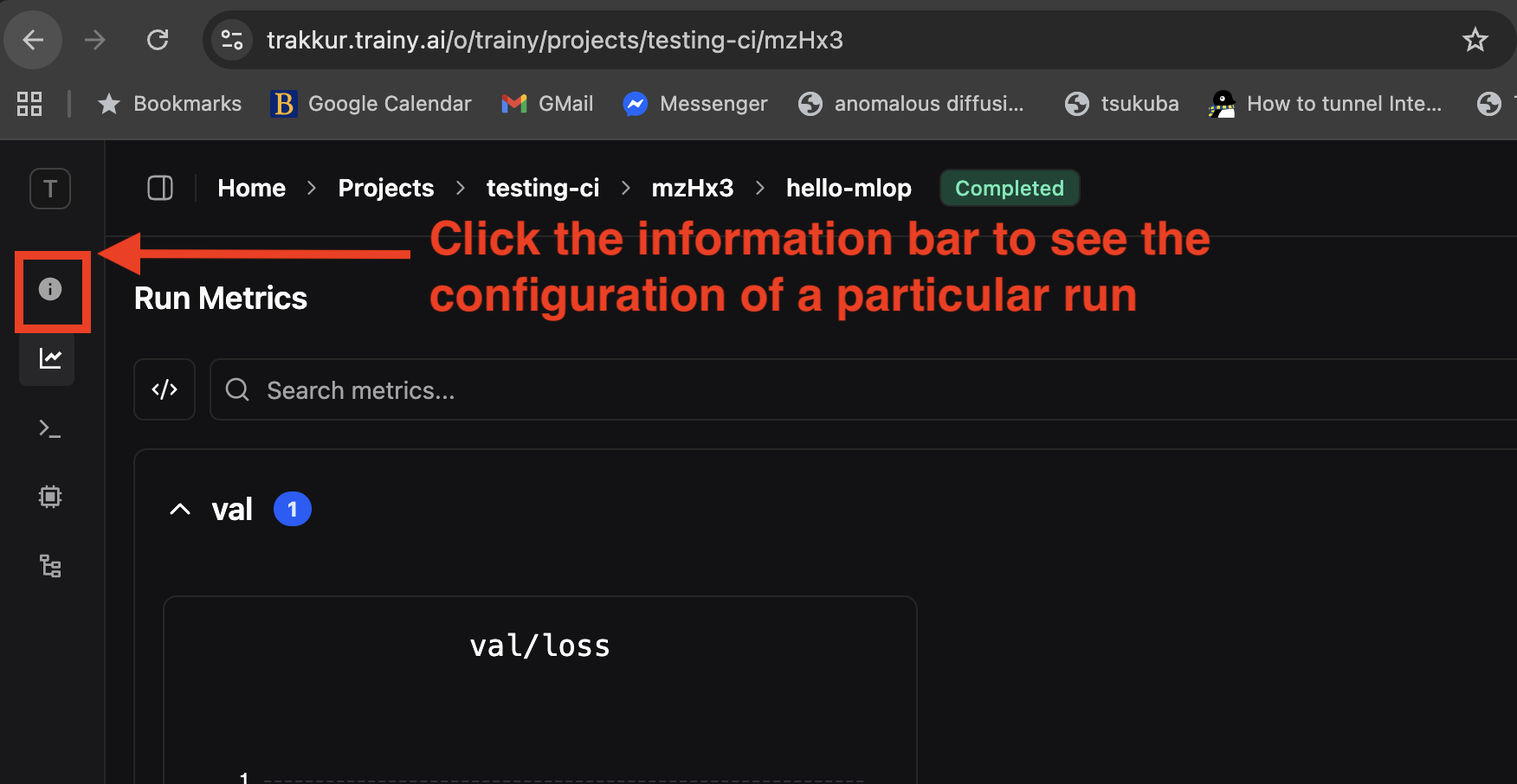
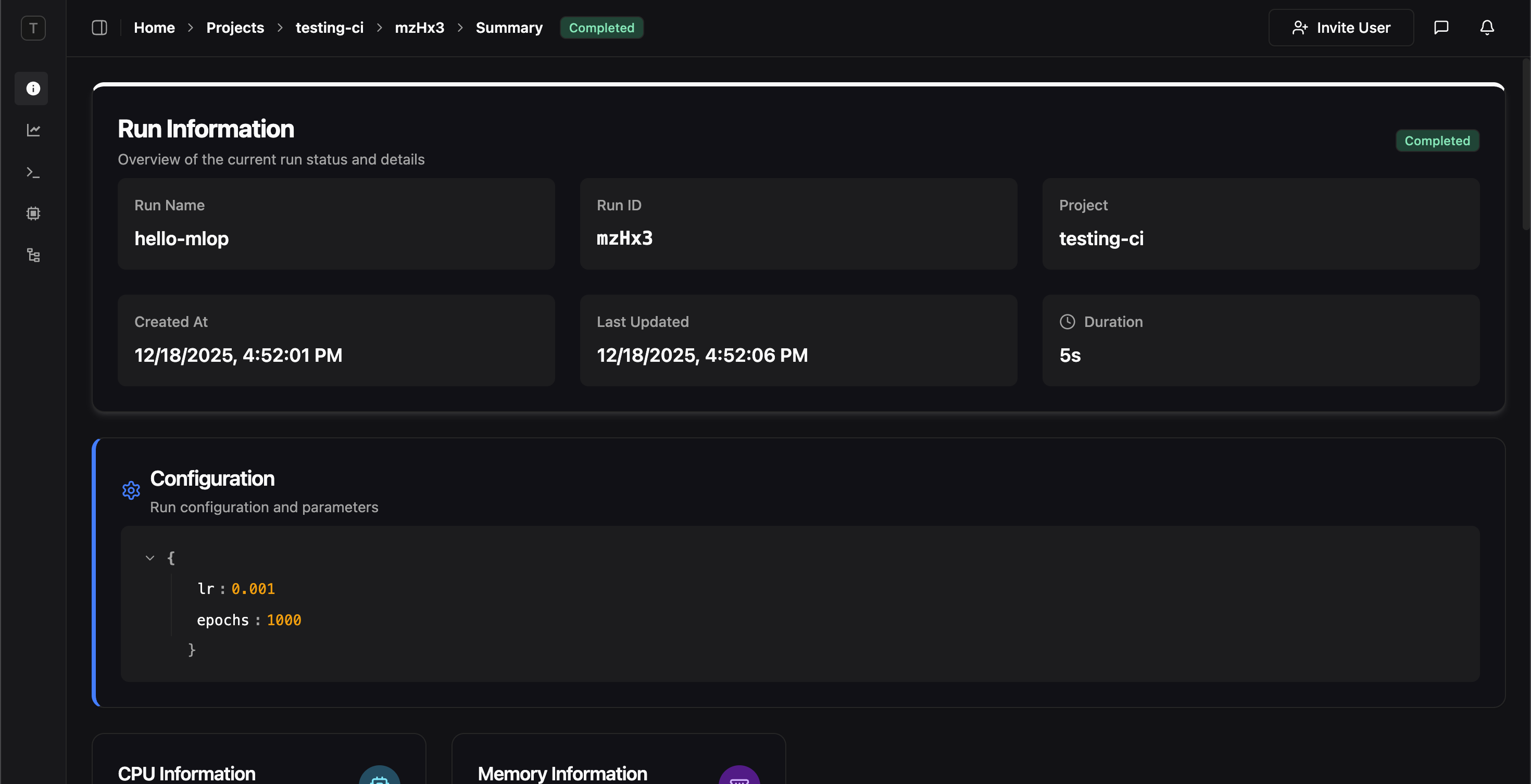
You can pass in configurations, e.g hyperparameters the config parameter
hyperparameters = {
    "lr": 0.001,
    "epochs": 1000,
}

pluto.init(
    dir=".",
    name="gpt4o-vision",
    project="VLLM",
    config=hyperparameters,
)
and this will be recorded in the experiment metadata. Screenshot 2025 12 18 At 5 30 31 PM Screenshot 2025 12 18 At 5 30 58 PM

Tags

Tags are plaintext strings and a way for attaching small metadata about your run that will make it easy for you to group/filter runs in the webUI. Multiple tags can be specified for a single run. To initialize a run with a particular tag, use the tag keyword argument which accepts List[str]
import pluto

pluto.init(
	name="gpt4o-vision", 
	project="VLLM", 
	tags=["production", "v2", "baseline"]
)