
Logging Files
Usepluto.File() with pluto.log() to save a file to your experiment:
Viewing Files
Files logged during an experiment can be viewed in the web UI. Navigate to your experiment, click theSummary tab, and visit the Files section.
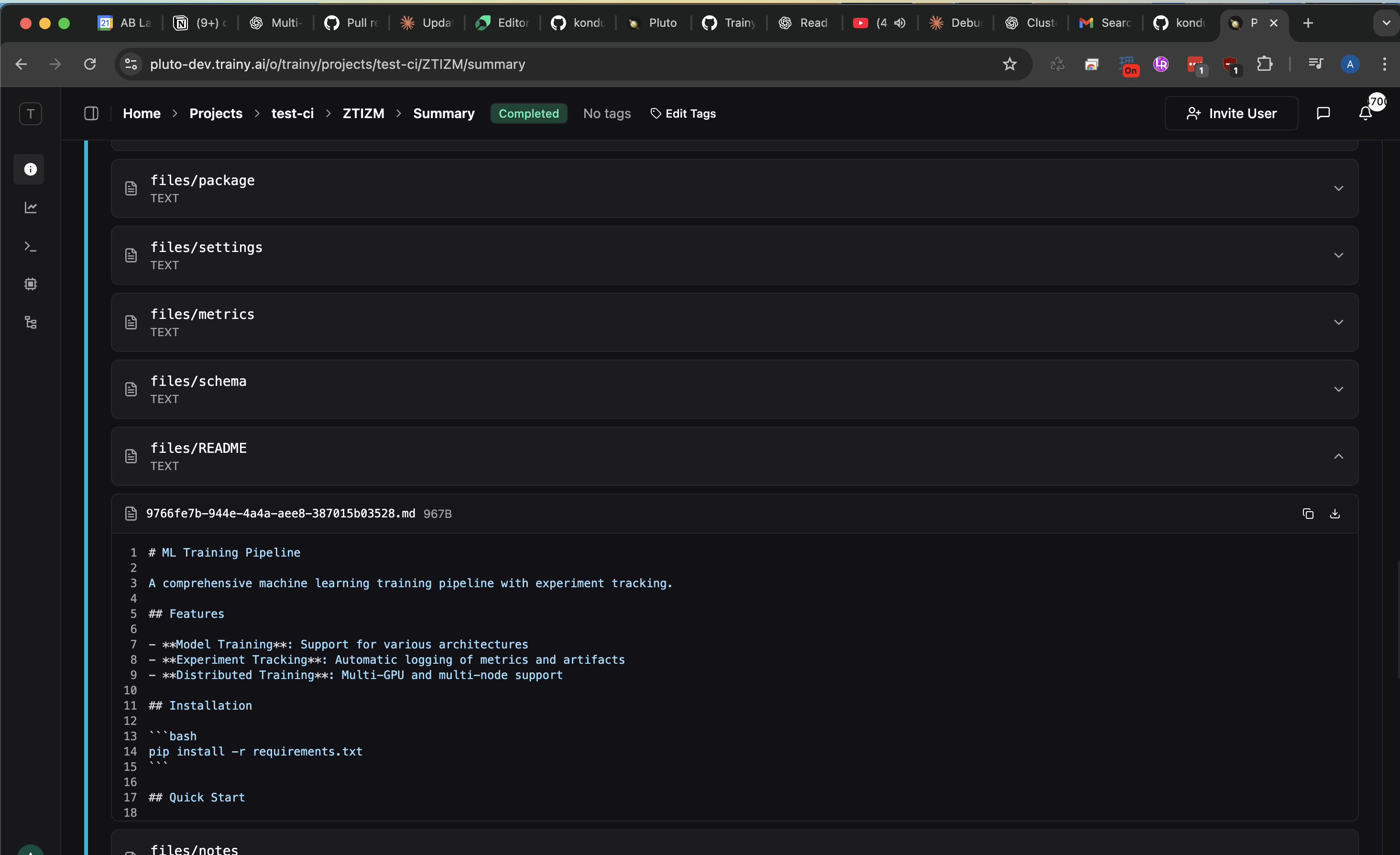
Plain text files will only render in dropdown if they are saved with a supported filename extension (i.e. .txt, .yaml, .py, etc.). For files that don’t follow this convention, the file won’t be viewable via the webUI but will still be downloadable.
Use Cases
Common use cases for file logging include:- Configuration files: Track the exact configuration used for each run
- Output data: Save predictions, embeddings, or other generated data
- Logs and reports: Save text logs or generated reports
Related
For logging specific media types with built-in visualization support, see:- Images - Log and visualize image data
- Audio - Log and play back audio files
- Video - Log and view video files
Interactive viewers
Some file types render as live content rather than a download link.Bokeh isn’t supported.
Object3D renders only as a point cloud; mesh and molecule formats such as .obj, .glb and .pdb have no viewer.The Files tab
Every run has a Files tab listing everything it logged, grouped by log name and step.- Zoom images from 25% to 800%, with annotation layer toggles
- Step through samples when several files share a step, in the order they were logged
- Download what you see — for an annotated image this is a flattened PNG including the visible overlays and a caption strip, not the raw file
- Captions appear beneath the preview
The file count in the sidebar footer includes mask files, which are hidden from the tree itself. A run with 4 images and 2 masks reads “6 files” and shows 4.
Upload reliability and recovery
File uploads go through a background sync process, separate from your training loop, so a slow or flaky network never blocks training. If an upload hits a transient failure — a connection reset, a server 5xx, a timeout — the sync process retries it for as long as the run is active, with exponential backoff (capped around 60 seconds) plus jitter. There’s no retry-count limit: a network disturbance during startup or anywhere else can no longer cause a file to be silently dropped. During a network blip, you may see logs like:failed_requests.log in the run directory, so it’s visible even if you weren’t watching the logs live.
run.finish() waits for pending file uploads, not just metrics. If anything is still unsent when the shutdown timeout elapses, finish() reports it honestly at WARNING instead of claiming success, along with a recovery command:
- Run
pluto sync <path-to-sync.db>to retry everything still queued for that run from the same machine. - Or call
pluto.query.upload_fileto re-attach the file out-of-band — from any machine, without reopening the run.