> ## Documentation Index
> Fetch the complete documentation index at: https://docs.trainy.ai/llms.txt
> Use this file to discover all available pages before exploring further.
# Run Lifecycle
> Start, resume, and end a Pluto run from Python.
A run starts with `pluto.init()` and ends with either `run.finish()` (mark it complete on the server) or `run.close()` (release local resources without changing the run's server-side state). This page covers the parameters for each, plus how to resume a finished run.
## Starting a Run
```python theme={null}
import pluto
run = pluto.init(
project="my-project",
name="experiment-1",
config={"lr": 1e-3, "batch_size": 32},
tags=["baseline"],
)
```
Common parameters:
| Parameter | Type | Description |
| ---------------- | ------------ | ----------------------------------------------------------------------------------------- |
| `project` | `str` | Project name (auto-created if it doesn't exist). |
| `name` | `str` | Human-readable run name. Pluto also auto-generates a sequential display ID like `MMP-42`. |
| `config` | `dict` | Hyperparameters. Snapshot at init; for in-run edits use `run.update_config()`. |
| `tags` | `list[str]` | Initial tag set. Edit later with `run.add_tags()` / `run.remove_tags()`. |
| `run_id` | `int \| str` | Resume an existing run by numeric ID or display ID. Used with `resume=True`. |
| `resume` | `bool` | If `True`, re-open a previously finished run instead of creating a new one. |
| `fork_run_id` | `int \| str` | Fork from a parent run. See [Run Forking](/pluto/forking). |
| `fork_step` | `int` | Required with `fork_run_id`. Step number to fork at. |
| `inherit_config` | `bool` | When forking, deep-merge the parent's config into the child's. Defaults to `True`. |
| `inherit_tags` | `bool` | When forking, copy the parent's tags. Defaults to `False`. |
## Resuming a Finished Run
```python theme={null}
run = pluto.init(project="my-project", run_id="MMP-42", resume=True)
run.log({"eval/accuracy": 0.94}, step=10000)
run.finish()
```
Both numeric IDs (`12345`) and display IDs (`"MMP-42"`) are accepted.
## Ending a Run
The SDK exposes two teardown methods:
| Method | Local cleanup | Marks the run on the server | Use when |
| -------------- | ------------- | ------------------------------------------------------------------------ | ------------------------------------------------------------------------- |
| `run.finish()` | Yes | **Yes** — transitions to `COMPLETED` (or `FAILED` on uncaught exception) | The training loop is done and you want the run to leave the active state. |
| `run.close()` | Yes | No — server status is unchanged | A short-lived process attached to an ongoing run and shouldn't end it. |
Both stop the monitor thread, drain the sync queue, and close HTTP clients. `run.finish()` also fires automatically on interpreter shutdown via `atexit`. `run.close()` **unregisters** the `atexit` hook, so a process that calls `close()` won't accidentally complete the run when it exits.
### When to Use `close()` Instead of `finish()`
`close()` supports multi-process workflows where one process attaches to an active run and shouldn't take it down on exit. Two common cases:
* **Eval job appending to a live training run.** The training loop holds the "real" `finish()`. The eval process opens the same run with `resume=True`, writes metrics, and `close()`s — leaving the run active.
* **Side process uploading artifacts** while the main run is still producing data elsewhere.
```python theme={null}
# In a side process attaching to a still-running training job
run = pluto.init(project="my-project", run_id="MMP-42", resume=True)
run.log({"eval/loss": 0.32}, step=current_train_step)
run.close() # local teardown only, run stays active on the server
```
`close()` is idempotent and thread-safe; subsequent `finish()` calls on a closed run are no-ops.
## Run States
A run is always in exactly one of five states:
| State | Meaning |
| ------------ | -------------------------------------------------------------------------------------------------------------------------------------------------------------------------------------------------------------------------------- |
| `RUNNING` | The run is active and reporting. |
| `COMPLETED` | The run finished successfully — normally via `run.finish()`. |
| `FAILED` | The run raised an uncaught exception, **or** stopped reporting for long enough that Pluto's stale-run monitor gave up on it. |
| `CANCELLED` | A configured metric threshold was crossed and the run was cancelled. |
| `TERMINATED` | The run was **preempted** — its process received a `SIGTERM` (e.g. a spot instance was reclaimed, or a Kubernetes pod was evicted). The SDK reports this the moment it's signalled, so preempted runs don't linger as `RUNNING`. |
So the three ways a training run can die each land on a different state:
* **Crash** — an unhandled exception → `FAILED`.
* **Preemption / eviction** — the process is sent a `SIGTERM` (reclaimed spot, evicted pod) → `TERMINATED`.
* **Hard kill** — SIGKILL, an OOM, or the node disappearing, where the run can't report anything → `FAILED`, once Pluto's monitor notices it went silent.
### Which status wins
When a run ends, the highest-priority state wins — a lower-priority update can't replace it afterward:
```
FAILED > CANCELLED > TERMINATED > COMPLETED
```
This matters most for multi-node training, where several workers report on the same run. If one worker fails and another later reports success, the run stays **Failed** — a success arriving afterward can't paper over the failure.
The one way a finished run *does* change state is if you deliberately [resume](#resuming-a-finished-run) it — that re-opens the run as `RUNNING`, and whatever happens next can move it on from there.
## Status History
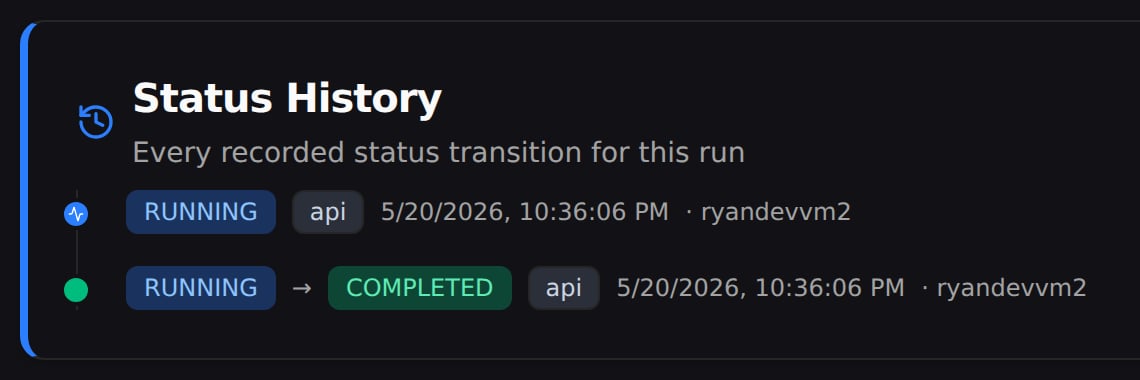
Every run's **Summary** page has a **Status History** card that shows each status the run passed through, in order, along with when each change happened and what caused it. A healthy run's history is short — it started, then finished:
 Each change also carries a small **source** tag showing what triggered it:
| Source | What it means |
| ----------- | ------------------------------------------------------------------- |
| `api` | A normal update from your code — for example, `run.finish()`. |
| `resume` | The run was picked back up with `resume=True`. |
| `stale` | Pluto's monitor marked the run failed because it stopped reporting. |
| `threshold` | A metric crossed a threshold you set, cancelling the run. |
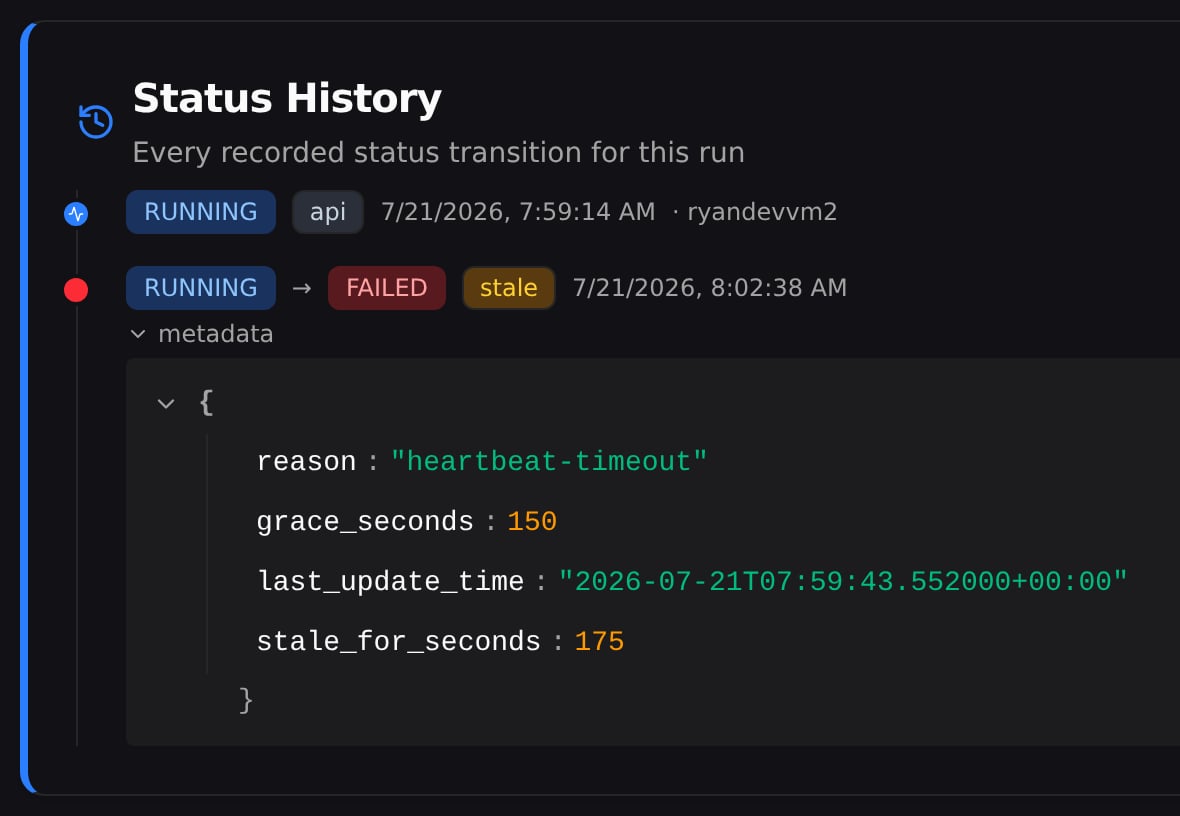
When a run fails, the history tells you *why* — which is the whole point. In the runs table, a run that failed because it went quiet (Pluto's monitor gave up on it) looks identical to one that crashed with an error — both just say **Failed**. Here you can see it was the quiet kind: it hadn't reported in longer than the allowed window, so Pluto marked it failed.
Each change also carries a small **source** tag showing what triggered it:
| Source | What it means |
| ----------- | ------------------------------------------------------------------- |
| `api` | A normal update from your code — for example, `run.finish()`. |
| `resume` | The run was picked back up with `resume=True`. |
| `stale` | Pluto's monitor marked the run failed because it stopped reporting. |
| `threshold` | A metric crossed a threshold you set, cancelling the run. |
When a run fails, the history tells you *why* — which is the whole point. In the runs table, a run that failed because it went quiet (Pluto's monitor gave up on it) looks identical to one that crashed with an error — both just say **Failed**. Here you can see it was the quiet kind: it hadn't reported in longer than the allowed window, so Pluto marked it failed.
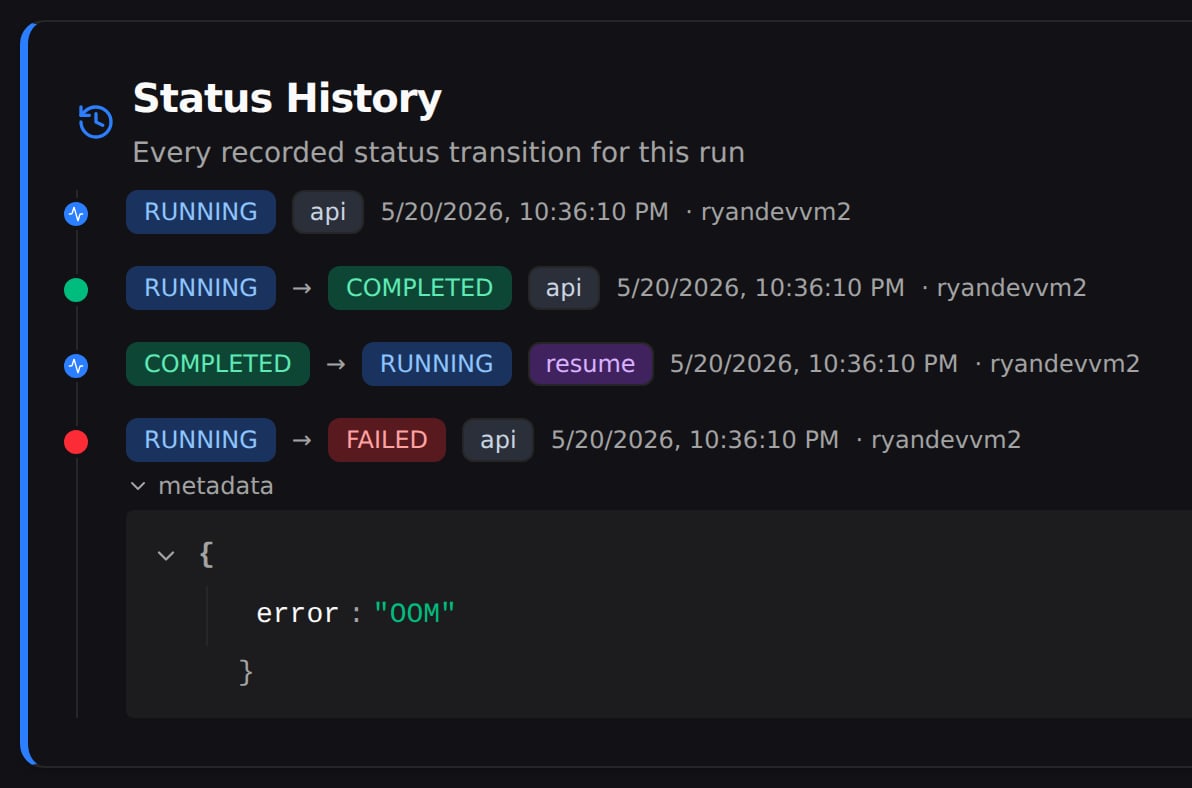
 Runs that were [resumed](#resuming-a-finished-run) show their full arc too, including whatever happened next — like this one, which was picked back up and then hit an out-of-memory error: